ARM and Intel
The RC1 APK packages native libraries for armeabi-v7a, arm64-v8a, x86 and x86_64. Architecture coverage does not validate every head unit or its proprietary services.
Check the FYT/SYU platform, Android 8.1/API 27+ requirement and the dependencies of each PIC function.
This release is intended for FYT/SYU automotive head units running Android 8.1 Oreo or later, API 27+. An Android version number alone does not establish compatibility.
The RC1 APK packages native libraries for armeabi-v7a, arm64-v8a, x86 and x86_64. Architecture coverage does not validate every head unit or its proprietary services.
PIC provides profiles for the supported 987 Boxster/Cayman and 997 Carrera, Carrera S and Turbo variants. Profiles supply calculation assumptions; the physical installation and vehicle interface remain separate requirements.
Radio, Phone, Bluetooth media, Sound/DSP and vehicle controls require the matching firmware interfaces. Discovery identifies exposed capabilities; it does not add hardware or guarantee control.
HCT/Microntek Bluetooth integration is implemented but has received limited testing. Treat it as experimental on the exact unit. It does not establish full PIC hardware compatibility for all HCT/Microntek devices.
Compatible tuner and provider; reception and RDS determine available station data.
Android-accessible files and storage permission; reconnect removable storage when required.
Native pairing, media/calling support and the relevant phone sharing permissions.
Location access and a usable GPS/heading source. Maps, search and routing have separate dependencies.
A supported audio backend or native provider; controls vary by hardware.
Optional compatible adapter, supported Bluetooth/Wi-Fi path, ignition and ECU data.
A compatible installed projection receiver/provider; PIC supplies launch access.
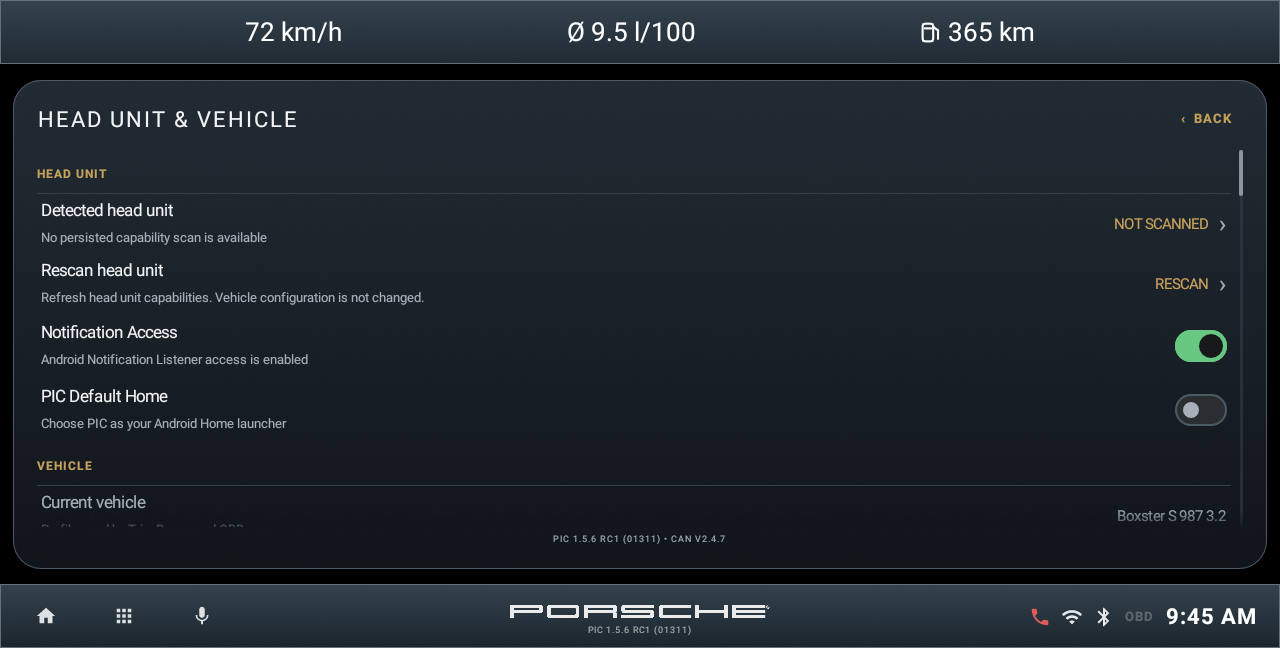
Complete the first-run discovery, then review Settings > Head unit & vehicle and Application integrations. Rescan after relevant provider changes. A detected package can exist without usable integrated controls.
Follow first-run setup